
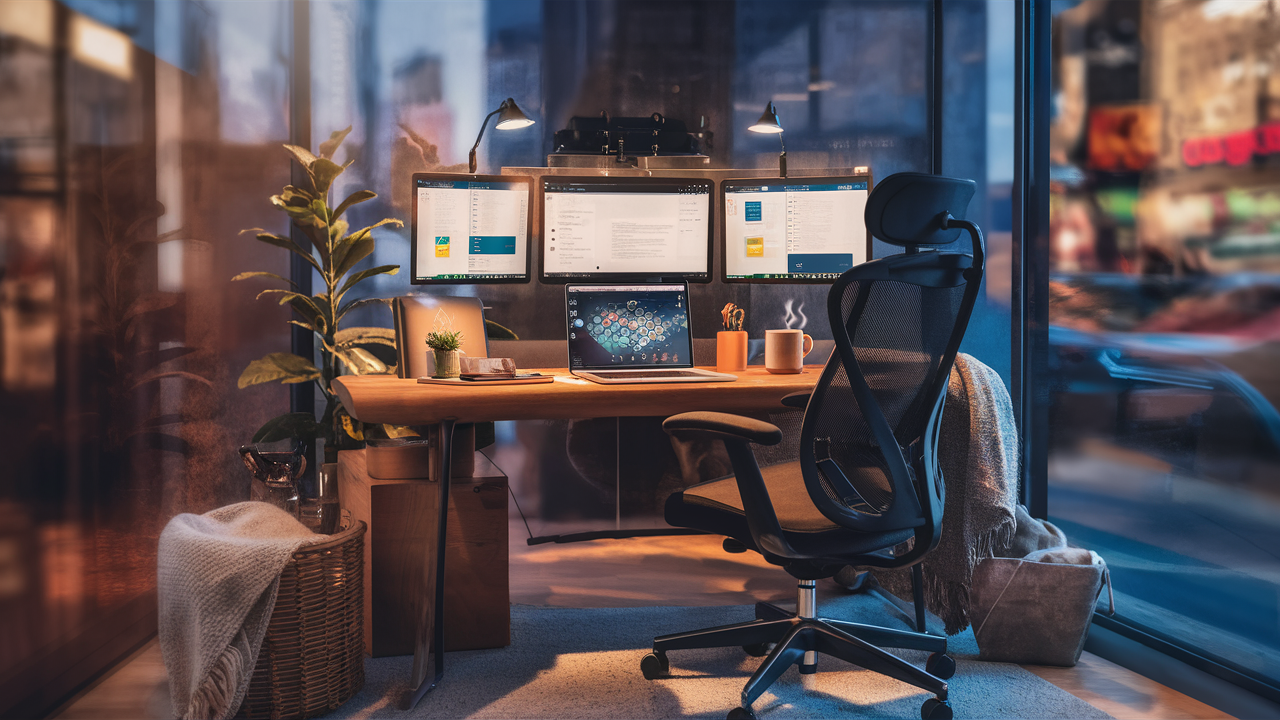
Remote work has transformed the modern workplace. What was once considered a temporary or niche working arrangement has become a permanent solution for millions of professionals worldwide. Businesses now recognize the benefits of flexible work environments, while employees appreciate the freedom and convenience of working from home. However, achieving success in a remote role requires more than simply opening a laptop on a kitchen table. A well-designed remote work setup plays a critical role in productivity, comfort, focus, and long-term professional success.
An effective workspace helps reduce distractions, supports physical health, improves workflow efficiency, and creates a clear separation between work and personal life. Whether you are a freelancer, entrepreneur, corporate employee, consultant, or digital creator, investing in the right remote work setup can significantly enhance your daily performance. This guide explores everything you need to know about creating the ideal home office, selecting the right equipment, improving ergonomics, and maintaining productivity in a remote working environment.
Why a Proper Remote Work Setup Matters
Many people underestimate the impact of their work environment. A poorly organized workspace can contribute to reduced concentration, physical discomfort, decreased productivity, and increased stress. In contrast, a thoughtfully designed remote work setup promotes efficiency, creativity, and professional performance.
Working from home introduces unique challenges. Household distractions, inadequate furniture, poor lighting, and unreliable technology can interfere with workflow. By creating a dedicated workspace, remote workers establish an environment that supports focus and minimizes interruptions. This not only improves work quality but also helps maintain a healthier work-life balance.
A professional setup also creates a positive impression during virtual meetings and video conferences. Clients, colleagues, and managers often evaluate professionalism based on communication quality, background appearance, and overall organization.
Choosing the Right Workspace Location
The first step in building a successful remote work setup is selecting the right location within your home. Ideally, the workspace should be situated in a quiet area with minimal distractions. A separate room dedicated to work is often the best option, but many professionals successfully create productive workstations in bedrooms, living rooms, or unused corners of their homes.
Natural light is one of the most valuable features of any workspace. Exposure to daylight can improve mood, reduce eye strain, and increase energy levels throughout the day. Positioning your desk near a window allows you to benefit from natural illumination while creating a more pleasant work environment.
Privacy is another important consideration. Choosing a location where interruptions are minimized can help maintain concentration during meetings, focused work sessions, and important projects.
Selecting the Perfect Desk
A desk serves as the foundation of any remote work setup. The ideal desk provides sufficient space for essential equipment while maintaining an organized and clutter-free environment.
Many professionals prefer desks that accommodate multiple monitors, notebooks, and accessories without feeling cramped. Standing desks have become increasingly popular because they allow users to alternate between sitting and standing throughout the day. This flexibility promotes movement and may help reduce the negative effects of prolonged sitting.
The desk should also complement the available space. Large desks work well in dedicated home offices, while compact solutions may be more appropriate for smaller apartments or shared living spaces.
The Importance of an Ergonomic Chair
One of the most critical investments in a remote work setup is an ergonomic chair. Remote workers often spend eight or more hours per day sitting at their desks, making proper support essential for comfort and long-term health.
An ergonomic chair should support the natural curvature of the spine, provide adjustable height settings, and encourage healthy posture. Features such as lumbar support, adjustable armrests, and breathable materials contribute to overall comfort.
Poor seating can lead to back pain, neck strain, shoulder discomfort, and reduced productivity. Investing in quality seating often delivers significant benefits over time.
Technology Essentials for Remote Work
Reliable technology forms the backbone of every remote work setup. At a minimum, remote professionals need a dependable computer, stable internet connection, and communication tools.
A modern laptop or desktop computer should offer sufficient processing power to handle daily tasks efficiently. Depending on job requirements, professionals may also benefit from additional monitors that increase screen space and improve multitasking capabilities.
Fast internet connectivity is equally important. Video conferencing, cloud-based collaboration, file sharing, and online communication all depend on stable internet performance. Investing in high-quality networking equipment can help ensure uninterrupted productivity.
Remote Work Accessories That Improve Productivity
Beyond the basics, several accessories can enhance the remote working experience. External keyboards and mice often provide greater comfort than built-in laptop components. Monitor stands help position screens at eye level, reducing neck strain.
Noise-canceling headphones are particularly valuable for individuals working in busy environments. These devices help minimize distractions and improve concentration during meetings or focused work sessions.
Additional accessories such as cable management systems, desk organizers, whiteboards, and task lighting can further improve workspace efficiency and organization.
Creating an Ergonomic Work Environment
Ergonomics refers to designing a workspace that supports the body’s natural movements and reduces physical strain. Proper ergonomics can significantly improve comfort and productivity.
The top of the monitor should be positioned at or slightly below eye level. The keyboard and mouse should allow the arms to remain relaxed and close to the body. Feet should rest flat on the floor or on a footrest.
Taking regular breaks is equally important. Standing, stretching, and walking periodically throughout the day can help prevent stiffness and improve circulation.
Managing Productivity While Working Remotely
Productivity depends not only on equipment but also on habits and routines. Establishing a consistent work schedule helps create structure and accountability.
Many successful remote workers begin their day with a clear plan that prioritizes key tasks and objectives. Time management techniques such as time blocking and the Pomodoro Technique can improve focus and reduce procrastination.
Minimizing distractions is also essential. Turning off unnecessary notifications, maintaining a clean workspace, and communicating availability to household members can support concentration.
Maintaining Work-Life Balance
One challenge associated with remote work is separating professional responsibilities from personal life. Without clear boundaries, work can easily extend into evenings and weekends.
Creating a dedicated workspace helps establish mental separation between work and home activities. Establishing specific working hours further reinforces these boundaries.
Ending the workday with a shutdown routine—such as organizing the desk, reviewing completed tasks, and preparing for the next day—can help signal the transition from work mode to personal time.
The Future of Remote Work Setups
Remote work continues to evolve as technology advances and workplace expectations change. Smart office equipment, artificial intelligence tools, virtual collaboration platforms, and ergonomic innovations are shaping the future of home offices.
Organizations increasingly support hybrid work arrangements that combine remote and in-office collaboration. As a result, professionals are investing more in creating flexible, efficient, and comfortable workspaces.
The future remote work setup will likely emphasize adaptability, wellness, productivity, and seamless connectivity across multiple devices and locations.
Conclusion
A well-designed remote work setup is one of the most valuable investments professionals can make. By combining ergonomic furniture, reliable technology, effective organization, and productivity-focused habits, remote workers can create an environment that supports long-term success.
Whether you are new to remote work or looking to upgrade your existing workspace, focusing on comfort, functionality, and efficiency will help maximize performance and job satisfaction. As remote work continues to become a permanent feature of modern employment, creating the ideal home office is no longer a luxury—it is a necessity.
Frequently Asked Questions (FAQ)
What is a remote work setup?
A remote work setup is a dedicated workspace designed to support productivity, comfort, and efficiency while working from home or another remote location.
What equipment is essential for remote work?
A computer, reliable internet connection, ergonomic chair, desk, webcam, microphone, and communication software are considered essential.
Why is ergonomics important for remote workers?
Proper ergonomics reduces physical strain, improves comfort, and helps prevent long-term health issues related to prolonged sitting.
How can I improve productivity while working remotely?
Use a structured schedule, minimize distractions, maintain an organized workspace, and apply effective time-management techniques.
Is a standing desk worth it for remote work?
Many professionals find standing desks beneficial because they encourage movement and reduce extended periods of sitting.
What is the best location for a home office?
A quiet area with natural light, minimal distractions, and sufficient space for essential equipment is ideal.
How do I maintain work-life balance when working from home?
Establish clear working hours, create a dedicated workspace, and develop routines that separate professional and personal activities.
